YouTube Channel AI Summaries 2026: Subscribe + Atom Feed + Gemini = Knowledge Pipeline

Bottom line: 20 AI YouTube subscriptions is already a conservative estimate, but the odds you actually watch them all are zero. Instead of trying harder, run a pipeline that watches for you — subscription list → Atom feed polling → Gemini native YouTube understanding → timestamped Markdown → Obsidian vault. No YouTube Data API, no yt-dlp, the whole chain runs quietly on your Mac.
One-line summary: YouTube’s public Atom feed + Gemini
fileData.fileUrinative YouTube comprehension = a zero-quota, zero-caption-scraping AI summarization pipeline.
You Subscribe to 20 AI Channels. You Don’t Watch Them.
Look at your sub list: Lex Fridman, Two Minute Papers, Yannic Kilcher, bycloud, AI Explained, Matthew Berman, MLST… 20 is a low estimate. Those channels combined ship 30–50 videos a week, averaging 30–90 minutes each.
The honest truth: you don’t actually want to watch all of them. You want to know what each video is about, then go deep only on the 2–3 that matter. That’s a classic summarize → filter → deep-read funnel. The first two steps are perfect for AI. You only need real attention on the last step.
This is exactly why we recommend running Gemini Desktop as a persistent background process — it watches your configured channel list, generates a structured summary within minutes of each new upload, and writes it to a local folder you choose. By morning coffee you’ve got a clean digest instead of 40 red notification dots.
Why Not the YouTube Data API
First-time YouTube automators reach for YouTube Data API v3. Then they hit reality:
| Dimension | YouTube Data API v3 | YouTube Atom Feed |
|---|---|---|
| Auth | Google Cloud project + OAuth consent screen | None — public HTTPS GET |
| Quota | 10,000 units/day, search.list 100 units/call | No hard limit (be polite) |
| Subscription list | Requires user OAuth scope, friction-heavy | Just assemble a channel ID list yourself |
| Stability | Over-quota = entire project halts | Public Google service, rock solid |
| Best use | Write actions (upload, like, comment) | Read-only new video polling |
The Atom feed URL could not be simpler — https://www.youtube.com/feeds/videos.xml?channel_id=UCxxxxxxxxxxxxxxxxxxxxxx — and returns a standard Atom 2.0 document with the last 15 <entry> items. Each entry carries videoId, title, published, author, media:description: exactly what “is there a new video” needs.
In Go, github.com/mmcdole/gofeed parses it in one line. In Node, fast-xml-parser or 20 lines of regex work. Feed payloads stay under 50KB, and polling every 4 hours is zero burden on both their servers and your bandwidth.
Gemini fileData.fileUri: Native YouTube Reading
Before 2024 the standard stack for “AI summarizes YouTube” was: yt-dlp pulls subtitles → clean → pipe to GPT → summary. Two chronic problems:
- No subtitles = no summary. Many tutorials and interviews never published captions; auto-captions quality is unstable
- Ops overhead. yt-dlp ships updates constantly to keep up with YouTube anti-scraping; you babysit dependencies every few weeks
Gemini’s fileData.fileUri (2025) changed the game. The API takes a YouTube URL directly and Gemini handles decoding, ASR, and visual understanding server-side. You pass one URL string.
Two concrete engineering wins:
- Skip caption scraping. Gemini’s own ASR beats YouTube auto-captions, especially for English tech podcasts
- Visual content enters the summary. Code on screen, whiteboards, slides — Gemini sees and cites them, which caption-only pipelines cannot
A minimal request:
{
  "contents": [{
    "parts": [
      { "fileData": { "fileUri": "https://www.youtube.com/watch?v=XXXXXXXXX" } },
      { "text": "Write a timestamped English summary with TL;DR, bullets, quotes." }
    ]
  }]
}
Gemini 2.5 Flash processes a 30-minute video in 20–40 seconds at a cost well below the old Whisper-transcribe + Claude-summarize stack.
Configuration: Channel IDs, Output Folders, Poll Interval
Finding the 24-character UC channel ID
The channel ID is a fixed 24-char string starting with UC (not the @handle). Three ways to grab it:
- Open the channel home page, view source, search
"externalId":"UC - Use a tool like YouTube Channel ID Finder to paste the channel URL and look up the ID
- Right-click the channel page, copy the RSS link — the URL embeds the channel_id
Centralize all channel IDs in a YAML or JSON array so future maintenance is just add/remove entries.
Output folder layout
Don’t dump summaries in the root of your Obsidian vault. Recommended shape:
~/Documents/youtube-notes/
  ├── 2026-04-18-lex-fridman-dario-amodei.md
  ├── 2026-04-18-two-minute-papers-latest.md
  └── _archive/
      └── 2026-04/
Date + channel + slugified title makes grep and time-series browsing trivial. Point Obsidian at youtube-notes/ and you get full-text search for free.
The 4-hour polling sweet spot
In our testing, polling every 4 hours is the best trade-off:
- < 2h: most polls return empty feeds — wasted compute
-
6h: for popular channels you miss the first “golden 3-hour traffic window,” losing timeliness
If you only follow daily-cadence channels (news rundowns), drop to twice a day (8am / 8pm).
Output Format: Frontmatter + TL;DR + Timestamps + Quotes
A normalized output format unlocks cross-channel aggregate queries in your vault. Recommended YAML frontmatter:
---
title: "Why We're Betting on Rust for AI Infra"
channel: "Latent Space"
channel_id: "UCxxxxxxxxxxxxxxxxxxxxxx"
video_id: "AbCdEfGhIjK"
published: "2026-04-17T22:00:00Z"
summarized_at: "2026-04-18T02:14:32Z"
duration: "01:12:45"
tags: [rust, ai-infra, latent-space]
url: "https://www.youtube.com/watch?v=AbCdEfGhIjK"
---
Body structure:
## TL;DR
2–3 sentences nailing the video's core claim.

## Highlights
- [00:03:12] Why Rust's ownership model fits inference serving
- [00:18:44] Three tokio gotchas during migration
- [00:42:08] Benchmarks vs. Python asyncio

## Quotes
> "The GIL is not the bottleneck anymore, serialization is."
> —— guest at 00:51:20

## Links
- Video: https://www.youtube.com/watch?v=AbCdEfGhIjK
- Related paper: …
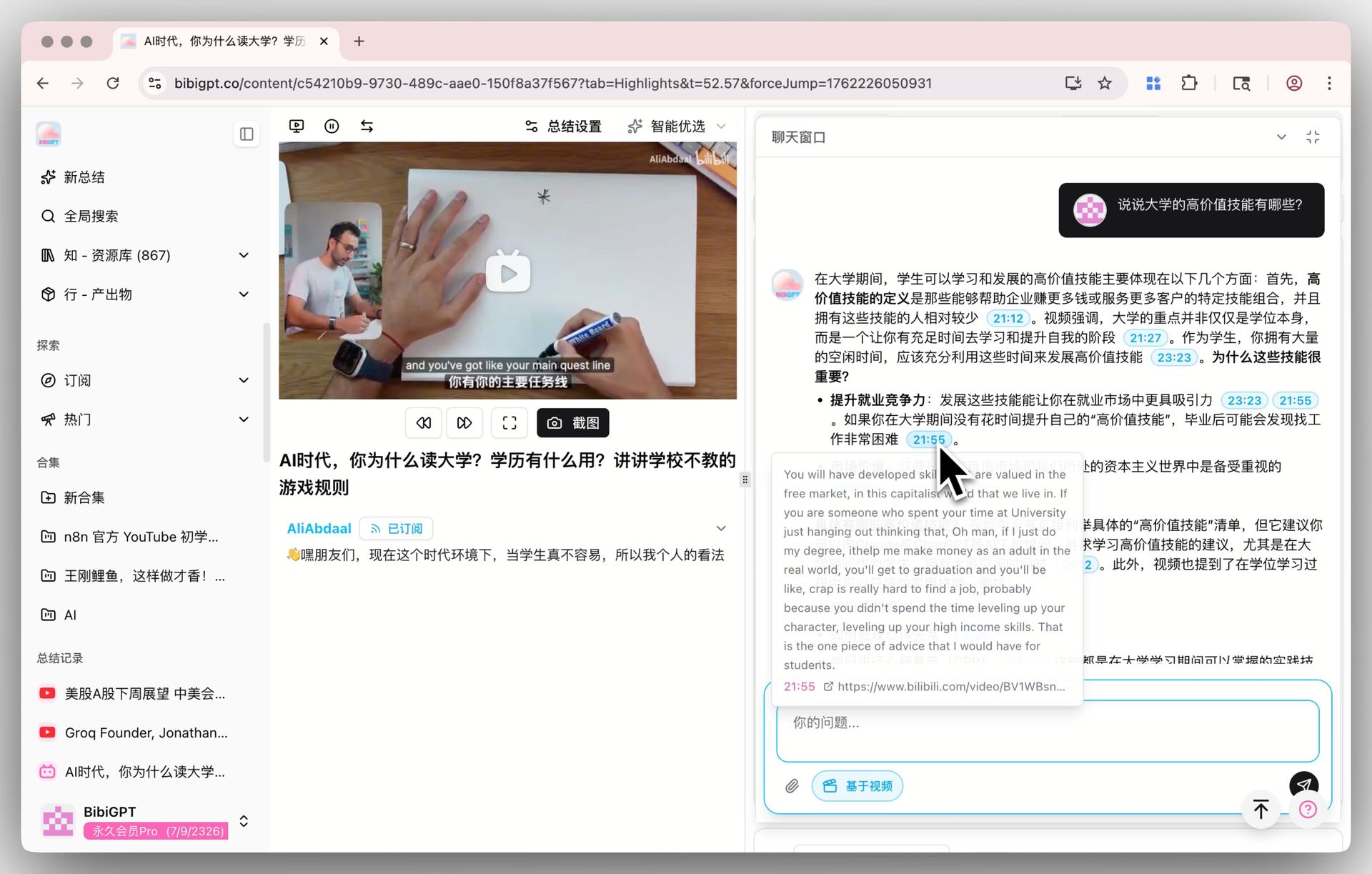
Timestamps must be clickable jumps (in Obsidian, [00:03:12](https://youtu.be/AbCdEfGhIjK?t=192)), otherwise you lose the whole “rewatch the important clip in 2 seconds” benefit.
Combo: Obsidian Vault + Daily Digest = Friday Auto-Podcast
After a week, your youtube-notes/ folder holds 80–150 Markdown files. Add a second pipeline — daily digest aggregation — that feeds all notes to Claude or Gemini and asks for the day’s top 5 and week-to-date trends.
Further reading: Daily AI Podcast: NotebookLM-Style Notes Pipeline walks through turning the aggregate into a NotebookLM-style dual-host conversation.
The typical cadence: Monday–Thursday a 5-min text-only digest, Friday evening a weekly pipeline that hands the whole batch to NotebookLM (or a self-hosted Audio Overview) to produce a 15–20 min two-host podcast. Play it on your Saturday commute — far more efficient than binge-watching one channel’s backlog.
Advanced: Custom Prompt Templates
The default “TL;DR + bullets + quotes” suits most channels, but different genres want different shapes:
| Channel type | Template | Why |
|---|---|---|
| Paper explainers (Two Minute Papers) | Core novelty + method + limitations | Matches academic structure, easy to revisit |
| Long interviews (Lex Fridman, Dwarkesh) | Chapter themes + per-chapter quotes + guest bio | 3h+ needs chapterization |
| Product keynotes (Google, Apple) | Feature list + demo timestamps + pricing table | Fact-check oriented |
| Tutorials (freeCodeCamp) | Step list + code snippets + key concepts | Easy to replay after the fact |
Prompt templates use placeholder substitution, e.g. {title}, {url}, {channel} injected at runtime. One JSON config can drive dozens of channels with distinct templates.
What We Don’t Do: Shorts and Low-Resource Languages
Why no bulk Shorts summaries:
- Shorts are already under 60 seconds — the “compression gain” from summarizing is negative
- Quality signal is weak; most Shorts are engagement-bait, summaries mislead judgement
Why we skip some languages:
Gemini’s native YouTube comprehension is strongest in English, Chinese, Japanese, Korean. For some low-resource languages (e.g., Vietnamese tech channels) ASR accuracy is still unstable — better no summary than a confidently wrong one.
Wrap-Up
Subscribe once, configure once, summarize forever. Let the Atom feed run silently in the background and Gemini handle the heavy lifting on every new upload — your only job is deciding at breakfast which 2–3 videos earn real attention. That is the compounding benefit AI automation gives knowledge workers in 2026.
More in this series
- BYOK + Trial Hybrid Pricing 2026: Why We Let Key-Bringers Stay Free Forever
- Migrating Claude Code Skills to Gemini 2026: One-Click SKILL.md → Gem
- GeminiDesktop MCP Server 2026: Plug Gemini's Native Tools Into Claude Code and Cursor
- Local sqlite-vec RAG: Indexing 500K Words of Notes Into a 200 MB File
- Wiring Obsidian / Logseq Into Gemini: Two-Way Sync + Daily Brief Into Your Vault