Migrating Claude Code Skills to Gemini 2026: One-Click SKILL.md → Gem

Bottom line: If you’ve accumulated 30 Claude Code skills (code review, commit messages, blog writing, AEO audits, whatever), switching to Gemini does not require rewriting anything — and no copy-paste either. GeminiDesktop scans both ~/.claude/skills and project/.claude/skills automatically and maps each SKILL.md’s YAML frontmatter plus body into a corresponding Gem, with name, description, and system_prompt aligned one-to-one.
In one line: Treat SKILL.md as “prompt source code shared across agents.” Claude Code, Cursor, and Gemini can all consume the same file.
You Already Wrote 30 Skills. Don’t Rewrite Them.
Since Anthropic shipped the Agent Skills spec in late 2024, Claude Code users have accumulated dozens of custom skills fast: /commit, /review-pr, /blog-writer, /improve-aeo-geo… Once you pass 30, “switching agents means rewriting every prompt” becomes a real lock-in cost.
But the core value of a skill is not in being bound to one agent runtime — it is in the Markdown text you iterated on until it became a reliable operating manual. That text can be called as a slash command in Claude Code, pasted into .cursorrules for Cursor, and — in principle — injected as a Gem’s system_prompt in Gemini.
The only real question is how much manual translation happens in the middle. We made this part zero-config in Gemini Desktop: automatic scanning plus automatic mapping, no copy-paste required.
Claude Code Skill Structure Recap
A quick refresher on the Anthropic-specified skill layout (locked in August 2024):
---
name: review-commit-push
description: Review code, commit with context, and push with type-check auto-fix
allowed-tools: Bash, Edit, Read, Grep
---

# Review Commit Push

When the user asks to commit, follow this procedure:

1. Run `git status` and `git diff --staged`
2. Analyze changes and draft a conventional commit message
3. ...
Core fields:
| Field | Source | Semantics | Maps to Gem |
|---|---|---|---|
name | YAML frontmatter | Slash command + agent-internal ID | Gem name |
description | YAML frontmatter | Trigger hint + one-liner | Gem description |
allowed-tools | YAML frontmatter | Tool whitelist | Logged only, not auto-forwarded (see below) |
| Body Markdown | Content after frontmatter | Manual + rules + examples | Gem system_prompt |
The body is typically 500–3,000 words of prompt text — checklists, decision trees, code templates. That is exactly the part most worth automating when you cross agent boundaries.
GeminiDesktop Scan Path: Global + Project
On startup, GeminiDesktop scans two locations in order (two-level fallback):
- Global:
~/.claude/skills/*/SKILL.md— personal utility skills (/commit,/review, etc.) - Project:
<cwd>/.claude/skills/*/SKILL.md— project-specific skills (e.g., BibiGPT’s/topic-finder,/blog-writer)
After merging, project-level skills take precedence on name collision — matching Claude Code’s own behavior. The scan is incremental: GeminiDesktop tracks each SKILL.md’s mtime and only re-imports after a file changes.
Imported Gems show up directly under the ”/” dropdown in the Gemini chat box, indistinguishable from hand-made Gems.
Import Rules: name / description / body → Gem system_prompt
The mapping in detail:
| SKILL.md field | Gem field | Transform |
|---|---|---|
name: review-commit-push | Gem name: review-commit-push | Pass-through |
description: ... | Gem description | Pass-through, max 512 chars |
| Body Markdown | Gem system_prompt | UTF-8-safe truncation at 32KB, won’t cut inside multi-byte characters |
allowed-tools | Gem metadata tags | Shown as tags only, no auto MCP binding |
Why 32KB? Gemini 2.5 Pro caps systemInstruction at 32KB. For 99% of skills that’s plenty (median SKILL.md is 6–8KB), but if you stuffed huge examples into prompt, you may exceed. GeminiDesktop appends [...truncated at 32KB, original file at /path/to/SKILL.md] on truncation so you know to manually trim.
UTF-8-safe truncation: CJK characters use 3 bytes each in UTF-8, and a naive byte-level truncation can split a character in two, producing decode errors. The truncator in GeminiDesktop walks back to the nearest valid codepoint boundary, guaranteeing valid UTF-8 output.
Why No Auto MCP Tool Bridging
Technically we could translate allowed-tools: Bash, Edit, Read into live Gemini MCP tool bindings. We deliberately did not. Two reasons:
Reason 1: Most skills carry implicit shell/git environment assumptions
review-commit-push assumes cwd is a git repo. commit assumes husky hooks exist. topic-finder assumes gcloud and GSC CLIs are logged in. These implicit assumptions are fine inside a Claude Code local shell but are wildly different inside Gemini’s execution sandbox (especially web UI).
If we naïvely forwarded the Bash tool, users would invoke a skill inside a Gem, watch it try git status, get an error, and have a worse experience than if the skill had just been reference documentation.
Reason 2: The security boundary is unclear
Claude Code’s allowed-tools is a loose whitelist, not a hard sandbox. If Gemini takes over execution, we’d need to re-audit each skill for what it actually does — otherwise we risk data leakage or destructive actions. That audit work is far bigger than field mapping.
Current behavior: SKILL.md body is injected in full as system_prompt so the Gem knows what the skill should do; actual execution happens when the user invokes it manually or explicitly binds an MCP server. Our next step is opt-in auto bridging — only skills that declare gemini-bridge: auto will be wired up.
Best Practices for Cross-Agent Reuse
Based on the mapping rules above, here are the habits that make skills travel well across agents:
- Minimize tool dependencies. If logic can live entirely in prompt, don’t make it depend on a bash script. “Analyze git diff and draft a commit message” can be rule-described in prompt without actually running
git diff - Write self-contained prompt blocks. Don’t assume the reader “of course knows the repo layout” — put key context inside the prompt
- Describe tools semantically, not by exact command. “Run the repository’s test suite” beats “run
bun test”, since the latter may not exist in Cursor or Gemini - Keep the
allowed-toolsfield even when it isn’t auto-forwarded. It remains a machine-readable declaration of “what this skill touches,” and future bridging tools will rely on it
More on MCP server setup covers how Claude Code, Cursor, and Gemini can share the same MCP server pool. Combined with skill reuse, this shrinks cross-agent switching cost to near zero.
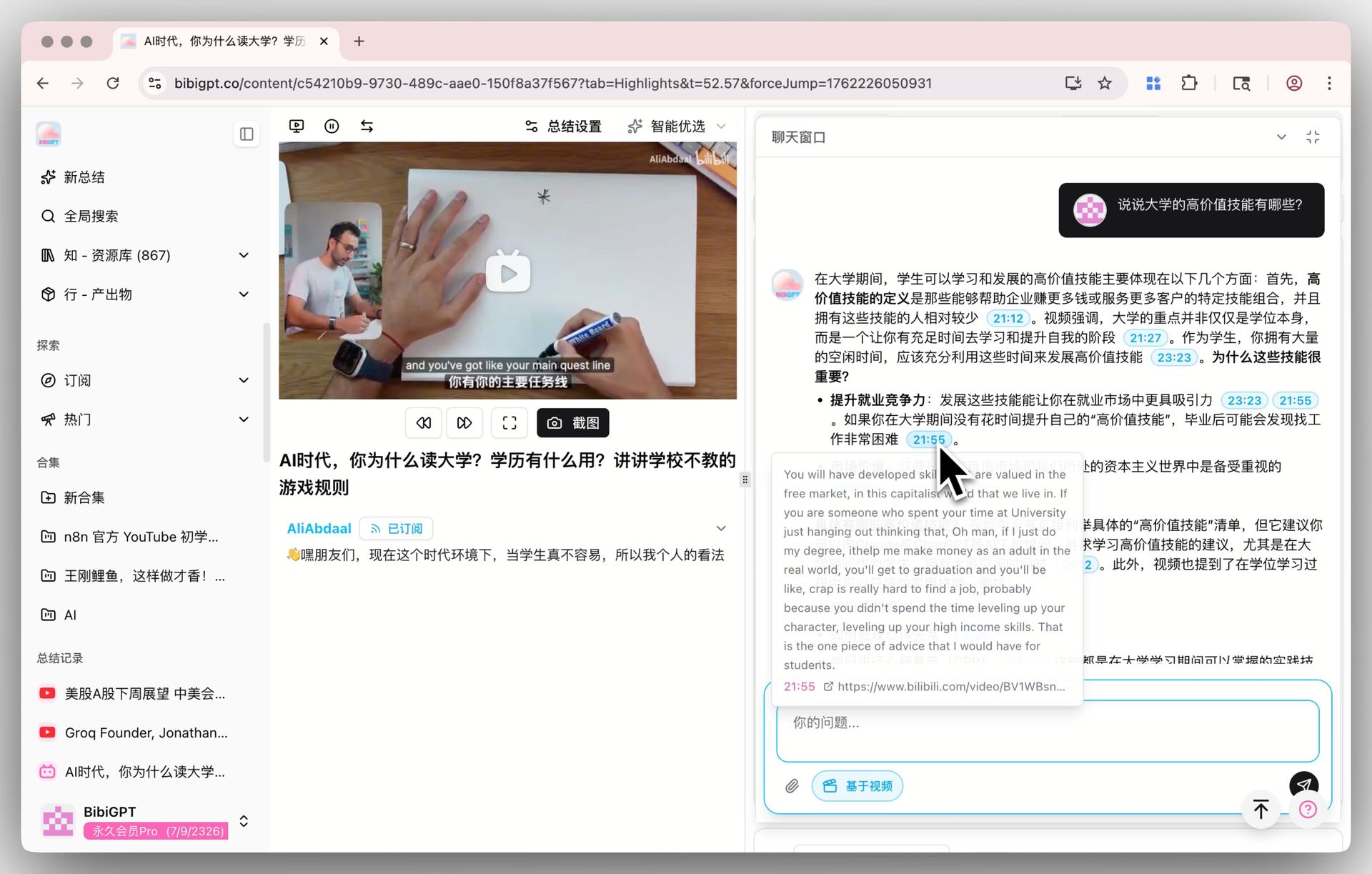
Scenario: Claude Code Codes, Gemini Reuses video-summary
A real example: BibiGPT’s bibigpt-skill package ships an agent-native “video summary” capability, with SKILL.md containing the full operating manual for “how to classify URL types, which API to pick, how to assemble the prompt.”
Inside Claude Code: while coding I use /video-summary https://youtube.com/... to extract the implementation idea from a YouTube tutorial in one line.
Inside GeminiDesktop: the exact same SKILL.md becomes a Gem. I’m browsing a tutorial video in the browser and /video-summary current tab produces the summary. Output format, citation style, and tone match perfectly between the two environments because the system_prompt is literally the same file.
This is the value of “skills as cross-agent prompt source code” — maintain one SKILL.md, consume it everywhere.
Next: Reverse Export + Three-Way Sync
One-way Claude Code → Gemini works today. The next step is reverse export — if you design a Gem in Gemini first, can we dump it back to SKILL.md so Claude Code picks it up?
Technically easy: Gem name/description/system_prompt goes back into YAML frontmatter + body. We’re also watching the Cursor .cursorrules format, aiming at “one SKILL.md synced across all three agents.”
Further reading: 6 Missing Features in the Gemini Mac App catalogs where Gemini’s current desktop story trails Claude Code on local workflow. Skill migration is one of many gaps we’re actively closing.
Wrap-Up
An agent skill should not be a runtime-specific format. SKILL.md is a knowledge artifact — the hours you spent refining a “review spec,” a “blog writer manual,” or an “AEO audit checklist” should not be wiped by swapping agents. Automatic scan + mapping in GeminiDesktop is step one toward truly agent-runtime-independent skill libraries.
More in this series
- GeminiDesktop MCP Server 2026: Plug Gemini's Native Tools Into Claude Code and Cursor
- Local sqlite-vec RAG: Indexing 500K Words of Notes Into a 200 MB File
- Wiring Obsidian / Logseq Into Gemini: Two-Way Sync + Daily Brief Into Your Vault
- OpenRouter OAuth PKCE on Desktop 2026: No More Pasting sk-or-... Keys
- Tauri 2.x Desktop Gotchas After 6 Months: Static CRT, FFmpeg Sidecar, Turbopack Symlinks